Wednesday, May 28, 2008

Thing number 14, Technorati

Well, we're back at Technorati. Not being able to get the quicktime video of Technorati tour to work quickly-hehe-I just scrolled down to so, in summary, and okay, whoever did summarize their achievements did a good job because I think I thawed a bit. It's still not my favorite site, but this:

"If there's one thing I'm sure of, after 20 years of building internet services and web businesses, it's that we haven't got it all right. We're going to spend a lot of time listening to you, and fixing, tuning, and tweaking. What have we got wrong? What is still broken? Believe me, I have a list about 3 feet long of those! What have we missed?

I'd appreciate it if you can use the tag technoratifeedback on your posts, or send a trackback or comment on this post. I can't promise I'll get back to everyone with an immediate answer, but I promise that I'll read them all."


Does seem to say that this is not a static site but indeed a growing and an evolving one. I did the keyword search for Learning 2.0 in the search box, and got this:

"Sorry, there was an error when running your search.

Try running your search again, it might have just been a hiccup.

If that doesn't work, we might be experiencing some temporary problems. We've been notified that a search didn't go through and we're in the process of fixing it."


Maybe it's just me, or maybe it knew I didn't like it that much? (Cue Twilight Zone theme) Oh wait, never mind. I ran it again and did get results. Weird. I got this:

Games 2.0?
http://gametomorrow.com/ blog/ index.php/ 2008/ 05/ 28/ games-20/
So I was at the Web 2.0 Conference a month ago (good grief, a month ago already?) ... it. And it's not just "games learning from Web 2.0" — the reverse is just as true, as games, especially online ...

(P.S. Don't you just love copy and paste? I do, I really really do...)

But that was on the Posts tab. When I clicked on Blogs, I got this as one result:

eLearning Technology
http://elearningtech.blogspot.com
Authority: 266
Ongoing discussion of eLearning, eLearning Technology and the impact of technology on the future of learning.

As for popular, well I'm usually not into popular stuff. TV shows I like tend to not attract the mainstream, likewise books and interests, but in one case, top search number one was, surprisingly, Dell. Seeing as I'm kinda interested in computers and laptops and heard a lot about Dell, that's cool. Another search top is icq-I have that but haven't used it in awhile, I'm usually on MSN Messenger. One of the top blogs by fans is "Blog Tips to Help You Make Money Blogging - ProBlogger"-hmm, money for blogging-now that's an idea. Well hey, I'm doing my best to catch up so my blogging gets an mp3 player, so there you go.

I didn't really find any blogs I'd continue reading, but I'm pressed for time and might go back later. I tried a search for beading, but it came up with the same error page as earlier so I think I'm done with Technorati for now. Ditto for the optional part. As technology oriented as I am, Technorati and I don't seem to be on the same page at the moment. But that's okay, I'm having a lot of fun testing out plenty of other Learning 2.0 things.

Thing number 13, del.icio.us

Ah, del.icio.us! Actually, this one I already know, courtesy of Staff Development Day 2007. I took the class on social bookmarking with del.icio.us and loved it. I already have an account, and some bookmarks, and for this exercise added the tagging buttons to my Internet Explorer again-when I updated IE the buttons disappeared.

I listened to the podcast and watched the Common Craft video and watched/listened to the ottergroup tutorial, and I'm sorry, but the Common Craft one was much better. The 8 minute ottergroup tutorial, at least on my home computer, had a tiny little screen that I could barely see, and wouldn't get bigger no matter what I tried. I tried saving it and watching with Windows Media Player and it was no go. So I finally just watched it on the webpage, but it was distracting trying to listen and keep up with the tiny changing screen and it didn't really help me much at all. It was much easier just to surf around the del.icio.us site itself.

Went to the OCL Webthings favorites, and heh, you tagged del.icio.us itself! Ooh, and Netlibrary and Worldcat too. Cool. If you want to look up AdwareBlocker in the search box, you'll find Ad-Aware 2007 Free - Lavasoft-it was saved by one lone person-me, aka windyfontaine. Now let's see, click on a bookmark-okay, I clicked on the Amazon.com saved by tons of people link and yes, saw the user notes and tags. Some were to shopping, some to books, etc.

As for research assistance, most definitely. If you search search, say, searchengine, you get a load of search engines. I like to use www.bjorgul.com, which is saved to my favorites. It's a meta search engine page. Plus now I'm probably going to be using it to access my bookmarks anywhere-I only had a few on for the class, but now that a lot of places I visit on the web are using it, it's reminding me that I can use that more often.

Finally, tried to add the tags like OCLWebthings has, but it looks different. Hmm. I'll work on that later-still have a bunch of things to catch up with :)

Thursday, May 15, 2008

Thing number 12, Netlibrary and Worldcat

Hi, this exercise is for Netlibrary and Worldcat. (Rubs hands in excitement at Worldcat-I already have used that and love it.)

I signed up for a Netlibrary account. I already have an account with Amazon.com, which I do purchase from every once in awhile. That is an amazing site-they have pretty much any book or movie you can imagine in their records. But I did give Netlibrary a try, and it is cool. I tried a few titles which weren't in the system-no Field Guides to demons here-but once I got the hang of it I did a keyword search for writing and came up with 82 titles. What I didn't realize at first is that this is all ebooks-not every title the library possesses is in ebook form. That being said, I did find a book for the exercise.

"Writing for Quick Cash: Turn Your Way With Words Into Real Money by Oberlin, Loriann Hoff.
Publication: New York AMACOM Books, 2004."

I clicked on the book picture, and got the cover of the book with a sidebar of options. Apparently you can even print out these books if you wish, as well as save a copy to your computer or send a link to it in email. I clicked on annotated table of contents, and then clicked a little + (plus) sign above the image of the book to make it bigger. At first I had no idea how to advance to the next page. Then I notice the "Next" on the top right, went duh!, and clicked on it, and got the next page.

Heh, I even found the definition of an online term for the chapter-lurker. That's when you read something by an author and don't comment, in my fanfiction world. Their definition says it's someone who lurks without participating in a newsgroup. They think it's a good idea, as you can find out the proper netiquette prior to posting so you don't offend. Huh. I had to stop and take a break, and when I came back to Netlibrary it had gone back to the default page. Guess you can't leave it alone too long. Or maybe one of my coworkers had a look, lol.

Well, all in all, Netlibrary was pretty easy to use and I could probably show a customer how to use it. Mainly they would be accessing it at home I would think, but I guess some customers would benefit from being shown what to do first at the library so they have no problems when they are on their own. I still like Librarything better though. On the other hand, if I can't get my hands on a book and need it right away and it's online, this is definitely a valid alternative.

Worldcat...ah my pretty, who got me the book I wanted :) Before the Webthings Challenge, I learned about Worldcat and surfed around the site. It was how I found out about The "Supernatural" Book of Monsters, Spirits, Demons, and Ghouls by Alex Irvine. Being obsessed by all things Supernatural, I looked for books and DVD's on the show, curious as to what other libraries had. To my surprise, some had this book. Thinking what the heck, I put in an ILL request at the reference desk, also suggesting they buy it, expecting that they wouldn't. But aha, OCL did indeed buy some copies, and I got my greedy hands on one, that I've renewed a couple (cough) times. So I'm already enamored of Worldcat. It was also how I got the Field Guide to Demons-this time as an ILL.

Now to do new for this exercise: Search a recent book title. Let's see...Condo Owner's Answer Book. (It was the only nonfiction book on the New Book cart, lol.) The location box was already filled in-I guess it gets pre-filled if you're in the library-to 08721 Toms River. And surprise, the closest library that owns the book is Ocean County :)

Hmm, Details lists the Contents and description, Subjects came up with Condominiums -- United States. Apartment houses, Cooperative -- United States -- Management. Advanced search-oh lookee! You can search by keyword, title, author, subject (like, for instance, Supernatural), and ISBN or ISSN or OCLC Number. I did a search for Supernatural in the format of DVD video, and wala, got Supernatural the complete first season as the number one result. Clicking on it-yes, I do think WorldCat will help me and customers with the request form.

So that's another thing done, and I definitely see myself using Worldcat in the future, and possibly Netlibrary-that one will mainly depend on if it gets a title that I'd like. Hope you have a good day, and I'm gonna try and seriously catch up now, lol. Cya! Oh, and if you want to hop over to my writing blog, I posted a short fic on there, based on my favorite tv show. (Waves)

Thursday, May 1, 2008

Thing number 11, Library thing

Now that was probably one of the easiest things :) I was going to try and find out how to add the widget to show my library and it just flowed from right after I added books to my new Library Thing account. So now you can see the books I added. Bet you can't guess the theme :) (Hint: yes, it's ghosts and writing, lol-ok that wasn't a hint, that was telling, but I don't have a present for if you guessed it, hehehe cough.) I can see how people would easily reach the free 200 book limit and want to add more. It is kinda cool.

Apparently, however, my choices for books are not shared by thousands of others, lol, not that I expected it. Surprisingly, 237 other people have the Field Guide to Demons, etc. in their libraries-and to think I had to interlibrary loan it. Now let's see, are there any discussions about the books? Okay, that was harder, but I'm guessing that Talk must be involved.

Okay, went to Talk, and then clicked on Your Books (which would be the books I entered into my library) and aha, here are "Topics mentioned books in your library":

Topics unread/messages Last message

50 Book Challenge : Ilithyia in '08 - less tv even more books!
Grammar snobs are great big meanies : a guide to language for fun and spite 83 Ilithyia, Yesterday 6:36pm

Writer-readers : Choosing Names for Characters
The Writer's Digest character naming sourcebook 43 felinette, April 5

Dewey Decimal Challenge : The 400s: Language
Grammar snobs are great big meanies : a guide to language for fun and spite 10 _Zoe_, January 19

List Five Books Parlour Game : Infinitives
A field guide to demons, fairies, fallen angels, and other subversive spirits 19 dihiba, July 2007

The Green Dragon : The Crystal Bible: A Definitive Guide to Crystals by: Judy Hall
A kaleidoscope of crystals :update : the reference book describing the metaphysical properties of the mineral kingdom 9 darrow, July 2007

List Five Books Parlour Game : Old Scratch's Lair
A field guide to demons, fairies, fallen angels, and other subversive spirits 13 Antares1, June 2007

Hogwarts Express : What useful non-fiction books do you own get the strangest looks from friends when they learn about
A field guide to demons, fairies, fallen angels, and other subversive spirits

So it seems that The Field Guide is pretty popular. Who knew? Oh, and just found out what the conversations thing is. You click on the book, say "Grammar Snobs Are Great Big Meanies: A Guide to Language for Fun and Spite" and you get a rectangular box with information:

Members Reviews Popularity Average rating Conversations
101 8 33,433 (3.8) 2

And the conversations for this book would be 2. Cool. Okay, for a couple more to fullfill the exercise:

The Field Guide had 3, a couple of writing books had none, Love is in the Earth, the crystal book, had 1, the Character Naming book had 1, a few others had none, so the winner with the most is once again The Field Guide to Demons. Hmm, maybe the library should look into Field Guides...they do seem pretty popular. We can have the Field Guide to controlling your runaway Westie puppy, the field guide to getting fur off your computer keyboard from having your cat sit on your lap, and the ever popular field guide to buying comfortable shoes for standing at the circulation desk for hours on end :)

Um, okay, I'd better stop now, lol. Hope that I've now done this thing, cause it's gonna be closing time soon. I'd do the advance exercise, but I'm pretty far behind so maybe once I catch up I can come back to it. Have a good night!

Friday, April 25, 2008

Story I wrote for a contest

Hi, said I'd be sharing fic, and this story I wrote for a writing contest. I did show it to some of my coworkers among others and they all liked it, so if you'd like to read it just click the link below. Hope you enjoy :)


Click me to read story!

Thursday, April 24, 2008

Thing number 10, Technology blogging

The discovery exercise says to "...simply blog about anything technology related. Yes, it can be anything that relates to technology! Just share a few thoughts."

That's it? Well hmm. How about this?...(is drooling):

Asus Eee PC I found on flickr.


Ain't she purty? A light laptop you can take anywhere, and connect to the internet wirelessly. Boy do I want one :)

How about pictures? Digital cameras are definitely technology. To that end, this picture is one I edited. I took a picture of the Pacific Ocean when I visited my brother and nephew, and then put some other pictures I had into that picture using the Microsoft photo editor on my computer to make a wallpaper.

Pic for work blog

More: this photo I scanned in (scanners are Technology) is of me holding a present my friend gave me for my birthday, a Palm PDA (personal digital assistant). With that technology I can download stories from the computer and read them at my leisure.


Oh and one thing I do agree will impact libraries are e-books. My PDA came with "The Wizard of Oz" and "The Last of the Mohicans" already installed on it. It's not the same as reading a nice physical book, but just like audio books can now be downloaded from the computer it's just a short hop to novels and the latest bestsellers. And I'm wondering-maybe home borrowers who have access to the computer might find that a convenient way to read their books? Without waiting for volunteers to come by. Hmm. Hopefully though that is a long way off-the sheer amount of children's books that go out in a day makes me think libraries won't become all digital anytime soon.

Now I'm off to go comment on a coworker's blog :) Have a good day!

Wednesday, April 23, 2008

Fun blogthings thing

How's your spelling? I found this while trolling the net for fun things, and turns out I could win at a spelling bee :) How about you? Follow the link below if you want to try. Have fun!


Your Spelling is Perfect


You got 10/10 correct.


Your spelling is excellent. You also have a great memory and eye for detail.

Thing Number 9: Finding Feeds

Well for Thing Nine it was to look at search tools for finding feeds, and I did visit Technorati, Syndic8, Topix, as well as the ever useful Google where I clicked on "More" and to my surprise found blogs there-thanks WebThings! I wouldn't normally have looked there. I also watched the Technorati Tutorial, during which I exclaimed aloud (luckily not too loudly as I was at the Circulation desk, lol): "This is supposed to be helpful?" :) So here are a few of my thoughts on these things.

Technorati Tutorial: aptly named, good for Techies already familiar with it. Watching it I figured I could learn more just fooling around the site myself. My own opinion, of course :)

Technorati.com: Eh. It's okay, but the results definitely skew to the news, even if you put in something like cats in the search box. Seeing as the only news I really want to see is in a store's sales circular, it doesn't really work for me ;)

syndic8: Which I just realized would stand for Syndicate-hahaha-is interesting I guess, but I'd have to spend a bit more time to really look at it. Put something like cats in the "search for feed" box, and you definitely get some cat blogs. Plus it gives you extra information like when it was created, what its status is, and a bunch of other information I'd need some more time to look into (when not being interrupted by pesky customers, lol-just kidding!).

Topix: Which says "Your town. Your news. Your take." I suppose to say it means that it can do more local information. It's just that most news that news sources want to bombard you with is too depressing for me. Basically, it's kinda like news on a Yahoo homepage, and on that I can customize it to show the less depressing and more interesting to me news (like what computers are hot, for example). Its search also skews to the more depressing news, so I'll be giving Topix a pass.

Now the two sources after all that that I would probably use to find feeds if I was looking: the ever-useful Google, and Bloglines search. Also: you can do a search for, say, "blogfinder" on Ask.com, and it comes up with a bunch of links to blog finders :) Ditto for "find feeds". I'm very comfortable with the search engines I already use, so inertia being what it is, I'll probably stick with them. But this was an interesting exercise anyway :)

Saturday, April 19, 2008

Thing number 8: Rss and Bloglines newsreader

Well actually, I was looking forward to this one because I was one of the people that had no idea what "RSS" was. I'd be reading in Livejournal and see the little orange icon but didn't know what it meant. Now I do, and it's cool. Oh and thanks to J*** from Ocl Web Things for answering my question about feeds.

I did join Bloglines, and currently have 13 feeds, which I'm sure will increase by the next posting. Some of the feeds are:

APP.com's living
Ocl Web Things Challenge :)
Upcoming Events at Jackson Branch
My town's weather from Weather Underground
Uploads from windyfontaine, my flickr account
and Fanfiction.net, where I read and write and post fanfic.

Also subscribed to a few blogs from my coworkers (so I can sigh with envy at how good theirs is, lol).

It's actually much easier than I thought it would be. Oh and the video from Commoncraft of RSS in plain english was kinda funny, but also informative. I got a little distracted by the hand continually tossing things away, but it is good for the first timer. Note-If you are one of my friends and have no idea what I'm talking about and just clicked this link to be nice, this is where you can find a copy of it-apparently there are many from a short search of YouTube:
http://www.youtube.com/watch?v=0klgLsSxGsU

So now I'm actually thinking, hmm, where do I normally go a lot that would have an RSS feed? And well, I think I got it, except there isn't one for the WeatherChannel that I could find easily so I went with Weather Underground. I also looked on beading magazine sites and Bob's Rock Shop show calender, but nope. I guess some things I'll just do the old fashioned way, lol. Actually though, I probably will still go to all the web sites, because that's what I'm used to doing. It takes a little time to get used to new things. I am glad I now know what feeds and RSS are though, so thanks OCL!

Wednesday, April 16, 2008

Thing Number Six, More Photo Fun


Library pics plus 014
Originally uploaded by windyfontaine

Well I'm way behind in blogging, but I did manage to take a bunch of pictures around the library.

This first is from the Welcoming Information Monitor in the library that you see when you walk in the door, also called the Powerpoint Display (Thanks boss!).

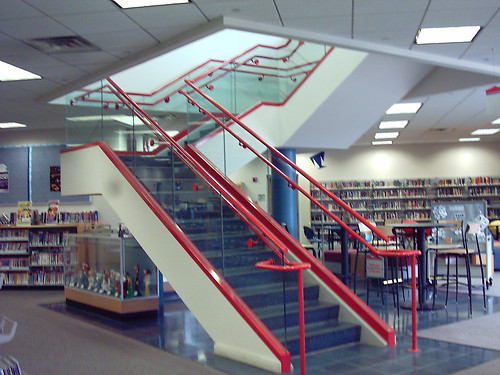
I also went upstairs to the break room and took pictures of the plants around the library and also the stairs. Hmm, now I think of it I missed the elevator :) Anywho, I think I'm beginning to like flickr a little more. It does upload very easily. Here are some pictures-the exercise said to take one but I went a little crazy, lol.

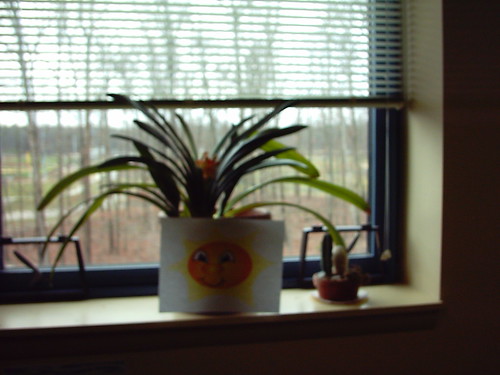
Plant in break room:


Here's another from the welcome monitor-the display keeps changing (I had to wait till it scrolled through a couple times to get some cool images):


This is a plant upstairs by the phone books:


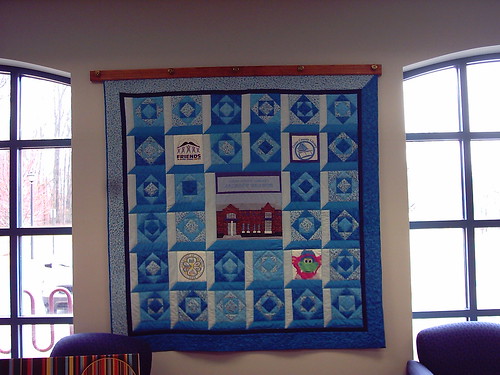
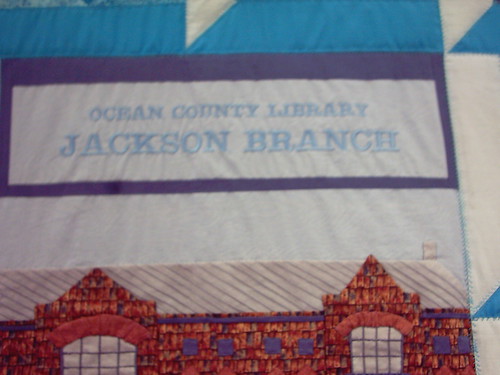
These are of the Jackson Library Quilt, that very talented people sewed-not me, lol. I did pick out a design though, but I have no idea which one it is :)


Oh and if you go to flickr, my oclwebthings photostream is public, under the name windyfontaine. That's my nom de plume for my writing identity. (Looks around) Yikes, it's like Bruce Wayne admitting he's Batman, lol. Well, I'll just trust you all :)

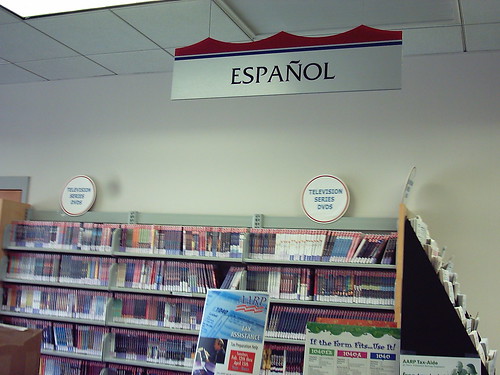
This is the Series DVD area, otherwise known as Blockbuster. Hehe, joking. On the other side are the items in Spanish.


The stairs to the upper level:


And a picture of a picture of the library :)


Like I said, I went a little picture crazy. And I did take more on my flickr account. But I think that's enough for here :) Have a good day!

Oh and p.s., a last note-I did take a look at the "...online photo editors, such as FotoFlexer, Splashup and Picnik." And the result? I'm going to join Fotoflexer, because darn, it's cool! It actually has one thing I've been looking for to help me make my banners-to be able to cut out a figure from a scene and place it in another photo. Now that? Useful. The others don't have anything more special than my Microsoft photo editor already on my computer. Okay, think this Thing is done :)